
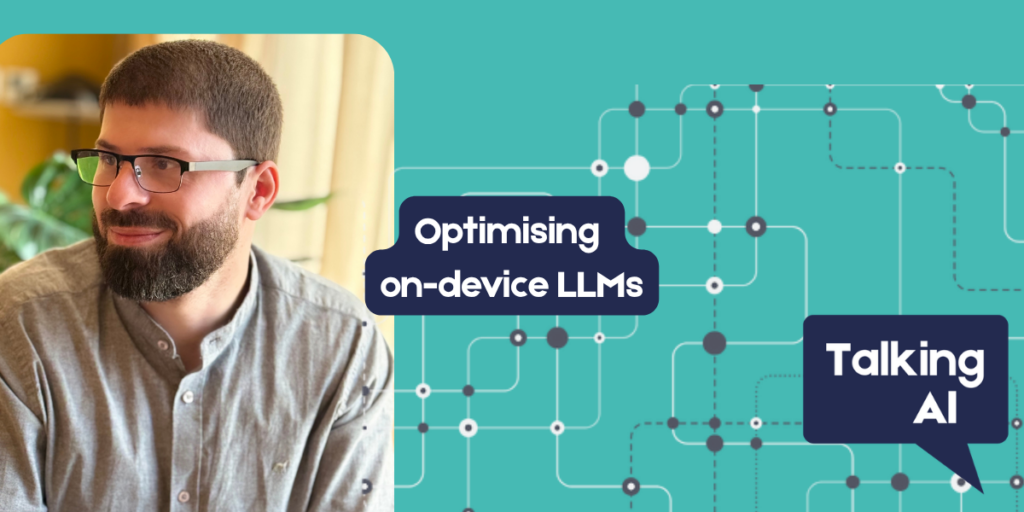
Imran Gadzhiev is a full-stack and AI engineer based in Sheffield. He ships production LLM pipelines, retrieval and agentic platforms, and mobile clients – and builds independently, including open-source tooling on PyPI and on-device AI apps on the App Store. He is the engineer behind Beacon, a privacy-first iOS app for local inference on personal data, and a Startup Member of Sheffield Digital. In this guest article, Imran explains why optimising large language models to run on individual devices, rather than in the cloud, isn’t straightforward but does carry some distinct advantages!
(This is a technical explanation for a tech-savvy audience, but we have added some footnotes to explain specific concepts to general interest readers).
Physics over features
If you have tried to run a language or vision model on a phone, you already know the gap between a demo and something people can use daily. A quantised seven-billion-parameter1 model might load on a MacBook without drama. On an iPhone with four to six gigabytes of RAM shared with the OS, camera, and your app, the same weights2 become a scheduling problem.
This article is about that engineering problem: how to fit useful on-device inference3 into a mobile memory budget, what you trade away when you quantise4, and how to ship without pretending a phone-based model can match a frontier cloud API5. I have worked extensively on cloud AI — agentic RAG6, meeting-intelligence pipelines7, hybrid retrieval over production databases8. The constraints change completely when the model has to live on a single device, right next to the user’s PDFs, voice memos, and photos.
Why on-device inference is important
Privacy is the obvious reason. Uploading a contract, a school letter, or a client invoice to a third-party API creates a data-processing relationship many users never fully examine: what about retention, subprocessors, jurisdiction, and the simple fact that your content now exists on someone else’s infrastructure? On-device inference offers a different kind of contract: the model runs where the data already lives.
Questions around sovereignty and trust have recently become even more pointed: In June 2026, Anthropic withdrew access to Claude Fable 5 worldwide after a US Government directive reported safeguard bypasses and invoked export controls to prevent the frontier model from being made available outside the US — a requirement that Anthropic was unable to meet and so was forced to withdraw it after being publicly available for only a few days. Separately, policy changes around data retention, and documented cases where models have been designed to deliberately degrade responses in certain domains, have added friction for teams and firms tying themselves to a single hosted provider.
I am not arguing that any one vendor is uniquely bad, or that open weights9 solve geopolitics. The lesson for builders is narrower and more practical: if your product depends on a model you do not host, then access can change overnight either through policy, pricing, geography, or politics. A weight file on local storage, for all its own trade-offs, will never receive a shutdown letter.
For personal-data workloads — OCR, summarisation, redaction, transcription, scene description — that combination pushes the option of on-device inference from a nice privacy badge toward a technically sound and reliable architecture.
Quantisation: the default mobile compromise
Cloud frontier models are large, continuously updated, and run on hardware you do not own. On a phone you ship quantised weights — compressed formats (e.g. GGUF via llama.cpp, ONNX, Core ML packages) that trade a modest amount of quality for a large gain in memory and speed.
The industry default for mobile language models sits around 4–5 bit quantisation10: enough capability for summarisation, extraction, and structured tasks; a noticeable drop if you push into long-chain reasoning11 or niche domains. Go more aggressive and you save RAM but reasoning-heavy tasks suffer. Go less aggressive and older devices simply will not load or run the model.
This is not a failure of on-device AI. It is the honest bargain. Mid-bit quantisation preserves most utility for task-specific tools while fitting in phone RAM. Pretending a four-gigabyte quantised model matches a hundred-billion-parameter cloud frontier model helps nobody — and it sets users up to distrust the whole category when the gap between the two becomes obvious to them!
Optimisation: what actually breaks in production
Choosing the correct quantisation gets you in the door, but that’s only the first challenge. What is still likely to break your application is peak memory12 – especially when you add vision via the camera or media library.
Stick to running one heavy model at a time.
Each model — be it for language, vision, or speech — requires a large, unbroken block of GPU memory. Since mobile devices rarely have enough overhead to load two such models simultaneously, it is much safer to serialise your tasks: always unload your current model before initialising the next one..
Tuning GPU layer counts with “retry logic”.
llama.cpp and similar frameworks let you offload layers13 to the GPU while the rest stays on the CPU. More GPU layers means faster inference — until you hit an out-of-memory crash. So how do you determine the number of layers to run on the GPU on any given device the app is running on? In practice I set an initial layer count, attempt to load the next layer, and step down on failure (the retry logic). It’s not particularly elegant, but it is how you can support a range of different devices without having to maintain separate builds for each phone generation.
Downscale before vision inference.
A vision-language model that has been trained on high-resolution inputs will not thank you for feeding it a twelve-megapixel camera frame. It’s better to accept some detail loss and resize the image down to the model’s practical input band so you can keep latency14 predictable. A photo that looks fine on screen can easily blow your memory budget at full resolution.
Treat RAM as a shared pool, not a spec-sheet number.
In order to keep running under load, iOS will terminate background work, throttle GPU access, and fragment memory. So design for the worst-case: cold start, low battery, another app recently using the camera, etc. If your pipeline only works on the newest Pro model, you’d better make that clear to the user. Or engineer for the floor15.
Glue code nobody packaged for you
Mobile on-device machine learning still requires integration work that does not exist as a tidy SDK16.
Running a vision-language model on iOS, in my experience, meant compiling a custom xcframework from llama.cpp, writing an Objective-C++ bridge between Swift and multimodal tokenisation APIs, and streaming partial tokens into SwiftUI. There is no such thing as “import VisionLLM”. Speech paths have better Apple-native options (WhisperKit and similar), but mixing Apple Intelligence, llama.cpp, ONNX Runtime for entity detection, and a VLM on one device means multiple engines but only one memory budget.
Model delivery is its own problem.
Multi-gigabyte quantised weights do not belong in the App Store binary. A better design pattern is to use authenticated, time-limited download URLs triggered when the app first runs. Weights then land in on-device storage and inference runs locally thereafter. So you handle all versioning and delivery in the cloud, but not document processing itself. That split — model delivery in the cloud, inference on the device — is increasingly common across platforms and matches how hybrid systems should treat sensitive preprocessing.
Honest limits and the hybrid handoff
On-device inference is fast and private. Frontier cloud models are still larger, more capable, and better at open-ended reasoning. A credible product should admit that gap.
My preferred pattern for personal data is local-first: process and sanitise information on-device. Only after the user grants permission should you share content externally. Use on-device tools to redact or summarise, and only send prepared, minimised text to a cloud assistant for deeper analysis. This aligns with security-first ‘edge’ workflows17 — scrubbing data before transmission. The decision to share must always lie with the user, not the application.
I’m not being “anti-cloud” here, just cloud-aware (and the app will survive the week your preferred hosted model changes its retention policy or disappears from your region entirely!).
Case study: what shipping taught me
I learned the above by building Beacon – a privacy-first iOS app for on-device work on personal files (OCR, summarisation, PII redaction18, transcription, scene description). I started closer to a guidance chatbot, but the useful loop turned out to be this one: import → understand, redact, or summarise on the phone → share the result out, rather than open-ended chat. That product shape also made the privacy story more legible: users grasp the concept of “summarise this PDF on my phone” more easily than “talk to my documents.”
Beacon is just one implementation of the constraints in this article of course: quantised local models, one heavy runner at a time, downscaled VLM inputs, layer retry on OOM, narrow cloud role for sign-in and model delivery.
It is on the App Store (https://apps.apple.com/gb/app/beacon-uk/id6762912899), and you can find out more about it at https://getbeacon.uk.
I offer it here as a case study, not a template: not every AI product should be on-device and all that do will have different constraints. For material that already lives on someone’s phone, though, local inference is the credible way to offer capability without defaulting to upload-first.
If you are optimising on-device LLMs I am always happy to compare notes on LinkedIn, or the Sheffield Digital Slack (@Imran Gadzhiev).
Footnotes
- “Parameters” are the neural network parameters — the “knobs” or “switches” that an ai model tunes during its training process. They essentially represent the model’s capacity to store information and perform reasoning.
↩︎ - “Weights” refer to the actual numerical values of those parameters that are stored in the model file on your disk.
↩︎ - “Inference” is the phase where the AI model actually performs its job: taking input data (like your text or image) and generating an output (like a summary or a description) — the model is inferring meaning. ↩︎
- “Quantising” is the process of compressing those weights to fit in less RAM, making the model smaller and faster. ↩︎
- “Frontier Cloud” models are massive, “hundred-billion-parameter” systems that are much too large to fit on a phone. Chat-GPT 5.5, Claude Sonnet 4.5, Google Gemini 3.5, and Meta Llama 3.3 are all such frontier models. ↩︎
- “agentic RAG” (or Retrieval-Augmented Generation) is a technique where an AI model retrieves specific information from a document or database (like your own PDFs or meeting notes) before it answers a question, instead of relying solely on what it learned during training. ↩︎
- “meeting-intelligence pipelines” are ai systems that automatically process recordings or transcripts of meetings to extract actionable insights. ↩︎
- “hybrid retrieval over production databases” refers to a sophisticated method of searching for information within a live, active business system by combining two different ways of searching: keyword searches and semantic (or vector) searches that look for meaning, not just the right combination of letters. ↩︎
- “open weights” refers to when the underlying mathematical model files (the parameters) are released publicly for anyone to download and host themselves. Unlike the major cloud-based frontier models. ↩︎
- The “number of bits” refers to the precision of the numerical values (the weights) used to store the AI model. There is an inverse relationship between the bit count and the amount of compression, i.e. more bits = less compression and vice versa (the model will likely start at 16 bits). ↩︎
- “long-chain reasoning” refers to tasks where an AI must work through a complex series of logical steps, dependencies, or multi-part analysis to reach a final conclusion. ↩︎
- “peak memory” is the maximum amount of RAM that an application consumes at any single point during its execution. ↩︎
- LLMs are structured in sequential stages called “layers.” When running a model on a device, you have two options for where you process each layer: on the CPU, which is flexible but slow for AI tasks; or on the GPU, the graphics processor, which is incredibly fast at the mathematical calculations required for AI, but it has much more limited memory. ↩︎
- “latency” refers to the delay — the amount of time it takes for the AI model to receive an input (such as an image) and produce an output. ↩︎
- “the floor” refers to the minimum hardware baseline, or the least powerful device tier that you intend your application to support. ↩︎
- SDK stands for Software Development Kit, which is a collection of pre-packaged tools, libraries, documentation, and code samples provided by a platform or service. ↩︎
- “edge workflows” are an architectural and security design pattern where data is processed, filtered, and sanitised directly on the user’s device (the “edge” of the network) before it is transmitted to a remote cloud server. (See Pierre Drezet’s article on this also in the Talking AI series). ↩︎
- PII is Personally Identifiable Information. ↩︎